
Restaurant software
Restaurant software: QR menus, ordering, and kitchen operations in one system
Learn what restaurant software in Colombia should include to connect QR menus, online ordering, POS, and kitchen operations in one system.
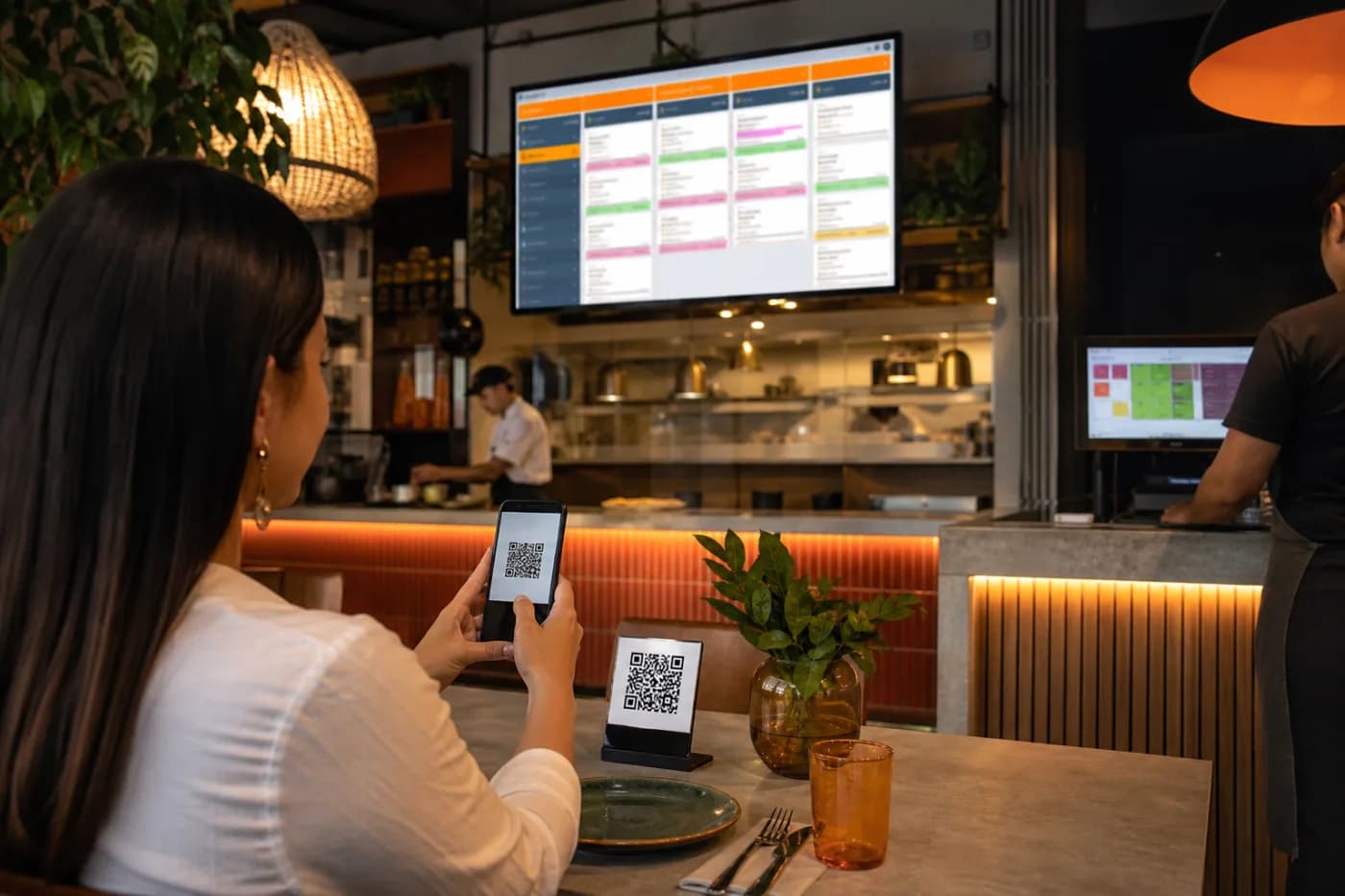
A restaurant may have a QR menu, receive orders through WhatsApp, and use a POS, but if each tool operates separately, the business becomes difficult to manage. Products have to be updated multiple times, orders get duplicated, and the kitchen receives incomplete information.
Well-designed restaurant software connects the digital menu, online ordering, restaurant POS, payments, and kitchen management. The decision is not about buying more technology; it is about organizing the entire flow more effectively, from the moment a customer views a product to the moment they receive their order.
What should restaurant software solve?
The solution should fit the type of operation: full-service restaurant, fast food, delivery, dark kitchen, or a chain with multiple locations. Before reviewing features, it helps to map the current process and identify where errors or delays occur.
At a minimum, the system should allow you to:
- Manage products, categories, prices, add-ons, and availability.
- Publish a QR menu that works properly on mobile phones.
- Receive online orders from the website, digital menu, or other designated channels.
- Send each order to the appropriate area: kitchen, bar, dispatch, or cashier.
- View the status, timing, and person responsible for each order.
- Manage sales, payment methods, inventory, and reports.
- Separate operations by location, register, channel, or service type.
QR menus: more than a digital menu
A QR menu should not be just an image or a PDF uploaded to a webpage. To be useful in daily operations, it must be connected to the business's actual information.
Important features of a good QR menu
- Responsive design: it should be easy to read on phones with different screen sizes.
- Centralized updates: changing a price or marking a product as unavailable should not require editing multiple files.
- Clear information: name, description, price, optional photos, ingredients, and relevant warnings.
- Variations and add-ons: sizes, sauces, toppings, cooking preferences, or side dishes.
- Accessibility: readable text, good contrast, and simple navigation.
- Direct action: customers should be able to place an order, request assistance, or check availability without switching to another channel.
In Colombia, it is also important to consider how the system performs when the connection is unstable and how it integrates with the payment methods and channels the restaurant already uses.
Online ordering connected to the kitchen
Online ordering creates value when it reduces manual work, not when it adds another inbox. The system should consolidate each order and retain the details that affect its preparation.
A well-defined workflow might look like this:
- The customer selects products and customizations from the QR menu or digital channel.
- The system checks availability, calculates totals, and records delivery or pickup details.
- The order is automatically sent to the appropriate preparation station.
- The team updates the status: received, being prepared, ready, and delivered.
- The customer and staff can view progress based on their permissions.
This traceability helps identify where a problem occurs in the process. It also makes it possible to distinguish orders for table service, delivery, pickup, or on-premises dining.
Restaurant POS: the center of sales operations
A restaurant POS should record sales, but a complete solution can do much more. It should connect sales information with inventory, cash management, and preparation without requiring staff to enter the same order multiple times.
Key areas to review
- Splitting checks and managing tables.
- Discounts, promotions, taxes, and different payment methods.
- Electronic invoicing through an integration suited to Colombia, when applicable.
- Cash register closing controls and user permissions.
- Inventory by ingredient, supply, or finished product.
- Reports by location, product, time, channel, and sales representative.
- Integration with printers, kitchen display systems, or available devices.
The priority should not be accumulating modules, but ensuring that the data is consistent. If the menu shows a different price from the register or the kitchen does not receive order changes, the technology may increase friction instead of reducing it.
Software for one location or a chain
Operations with multiple locations need more precise rules. The system should make it possible to manage shared information and location-specific information without creating duplicate processes.
Key criteria include:
- A master catalog with prices or availability that can vary by location.
- Users, roles, and permissions separated by location.
- Consolidated and individual reports.
- Settings for hours, service areas, and delivery fees.
- Integration with corporate accounting, CRM, or analytics tools.
- Technical scalability to add locations without rebuilding the platform.
For a chain, it is also important to define who can modify the menu, approve promotions, and view sensitive information. Data governance is as important as the interface.
Common mistakes when implementing restaurant technology
- Choosing based on the number of features: an extensive system may be of little use if the team does not understand or use it.
- Copying manual processes without analyzing them: digitizing a confusing workflow does not make it efficient.
- Ignoring the staff experience: kitchen and register teams need interfaces that are fast, visible, and easy to operate.
- Failing to assign responsibility: someone must maintain prices, availability, users, and system rules.
- Separating the menu from inventory: if an out-of-stock product remains visible, cancellations and complaints increase.
- Underestimating integrations: payments, invoicing, delivery, and accounting may require specific validations.
- Failing to test real scenarios: you need to simulate modified orders, cancellations, payment errors, and periods of high operational demand.
Checklist for choosing restaurant software
Before purchasing or developing a solution, use this list as a starting point:
- Can the QR menu be updated from one place?
- Can the system identify unavailable products by location or time?
- Do orders reach the kitchen with all their modifications?
- Can you manage tables, deliveries, pickups, and digital orders?
- Does the POS record sales and support cash register closing controls?
- Does the solution integrate with payments, invoicing, inventory, or accounting?
- Does it include users, roles, audit trails, and data backups?
- Can it grow with new locations, channels, and business rules?
- Does the provider offer support, documentation, and implementation assistance?
- Does it work well on the devices used by the team?
When should you talk to a developer?
It is worth talking to a developer when the available tools do not reflect the restaurant's actual operations. This can happen when the business manages multiple sales channels, special inventory rules, multiple locations, custom integrations, or reports that standard systems do not provide.
Custom development does not mean building everything from scratch. In many cases, the best option is to combine a stable platform with integrations, automations, and specific modules. The first step should be documenting processes, users, data, permissions, integrations, and priorities.
David Campos can help you evaluate your current workflow and define a restaurant software solution with connected QR menus, ordering, POS, and kitchen information. Learn how to start a conversation about your project and let's review what should be addressed first.
Frequently asked questions about restaurant software
Can a QR menu receive orders directly?
Yes. It can work as a digital menu and an entry point for orders, as long as it is connected to the ordering, payment, and preparation systems.
What is the difference between a POS and restaurant software?
A POS mainly focuses on recording sales and managing the register. Restaurant software can also integrate the menu, ordering, kitchen operations, inventory, delivery, users, and reports.
Does the software work for restaurants with multiple locations?
Yes, if it supports managing catalogs, prices, availability, permissions, and reports by location, while also consolidating information for management.
Can it integrate with electronic invoicing in Colombia?
It can integrate through a provider or service that meets the applicable requirements. The implementation should be validated based on the business's operating and tax model.
Is it better to buy a platform or develop a custom system?
It depends on the processes and objectives. A platform may cover standard needs; custom development is useful when you need integrations, rules, or workflows that a general solution cannot handle effectively.