
CRM and business software
Custom CRM or HubSpot, Zoho, and Pipedrive: Which Is Right for Your Business?
A comparison of custom CRM software and the most widely used subscription tools: cost as you grow, process fit, data and integrations, and the signs that it’s time to switch.
HubSpot, Zoho, and Pipedrive handle sales tracking well for most companies. A custom CRM makes sense when your process has rules those tools cannot handle, when the per-user cost is becoming a burden, or when your CRM needs to do more than manage sales. This comparison will help you make an informed decision instead of following a trend.
What Each Option Offers
HubSpot
It is the most complete option if you want marketing alongside sales: forms, email, landing pages, and visitor tracking in one place. It has a free version that works well for getting started. The higher-tier plans are where the automation and advanced reporting are available, and the price rises quickly as your team grows.
Zoho CRM
It is part of a large family of applications that includes invoicing, help desk, projects, and email. It is one of the least expensive options per user and allows extensive customization. The tradeoff is that setup takes time, and the interface has many options a small team will never use.
Pipedrive
It is built around the sales pipeline. It is the easiest to adopt: a sales rep can understand the screen in minutes. It works very well when the job is moving opportunities from one stage to the next, but falls short when the process includes post-sale operations.
Custom CRM
It is built around how your company works. The fields, stages, permissions, and reports are designed for your business, and it can include what happens after the sale: contracts, accounts receivable, scheduling, or production. It does not charge per user. It requires an initial investment and someone from the business to be involved throughout the project.
Comparison by Criteria
- Time to get started: subscription tools can be used from day one. A custom CRM takes months before the first version is ready.
- Initial cost: low with a subscription, high with custom development.
- Cost as you grow: the subscription increases with each user and each plan. A custom system costs the same with 10 or 60 people.
- Process fit: with a subscription, you adapt the way you work to the tool. With a custom system, the tool adapts to you.
- Integrations: well-known platforms come with hundreds of ready-made connections. With custom development, each integration is built separately, but the system can connect to systems those platforms do not support.
- Data ownership: with a subscription, your data lives on the provider’s platform and can be exported subject to its limitations. With a custom system, the database is yours.
- Dependence: with a subscription, you depend on the provider’s pricing and changes. With a custom system, you depend on whoever maintains it, which is why receiving the code and documentation matters.
When to Stick with HubSpot, Zoho, or Pipedrive
- Your sales team has fewer than 10 people.
- You sell through a standard process: contact, meeting, proposal, close.
- You need to get started this week, not in three months.
- You are still refining your sales process and it changes often.
- Email marketing and forms are just as important as the sales pipeline.
In any of these cases, the sensible approach is to choose one of the three, configure it properly, and use it for a year. What you learn during that time is exactly what you need to design a custom system later, if necessary.
Signs You Need a Custom CRM
- You use the CRM and three spreadsheets on the side. If the information that truly matters is still in Excel, the tool is not covering the process.
- You pay for features you do not use just to get one you do. This happens when a single automation forces you to upgrade the entire team’s plan.
- The sale is only the beginning. After that come contracts, payments, appointments, deliveries, or maintenance that the CRM cannot handle.
- Your business has its own rules. Tiered commissions, approval thresholds, payments to third parties, or inventory with custom statuses.
- The monthly bill is already a visible budget item. And it will keep growing with every person you add.
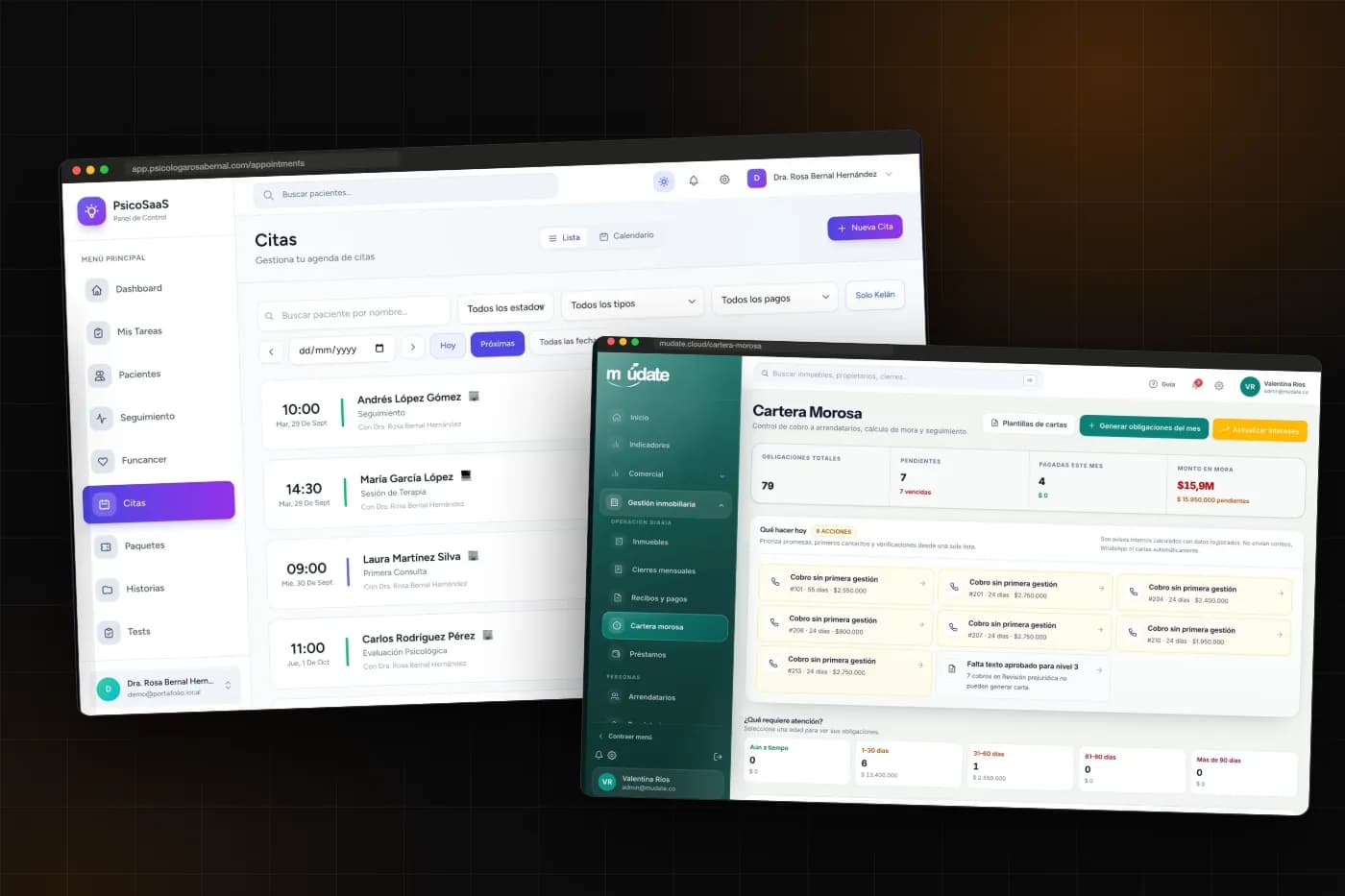
Real estate agencies are a typical example: a generic CRM follows a prospect until they sign, but knows nothing about rentals, accounts receivable, or what is paid to the property owner. That is why Múdate includes the sales pipeline in the same system that manages the properties. I explain this approach in software and CRM for real estate agencies.
The Middle-Ground Option Almost Nobody Considers
You do not have to choose all or nothing. Many companies keep their subscription CRM for sales and build only the part that does not fit: a customer portal, a quote calculator with custom rules, or the operations module. The two pieces connect through an API, and each does what it does best.
This is a good option when the sales team is already used to the tool and the problem is what happens after closing. I work on these types of connections through API integrations.
Common Mistakes When Deciding
- Comparing only the first month. A subscription always wins at the beginning. The useful calculation is over three years, using the team you expect to have—not just the team you have today.
- Building custom software to avoid organizing the process. A custom system does not fix a process nobody has defined; it locks in the process and its mistakes.
- Believing that “custom” means maintenance-free. All software needs updates, backups, and improvements.
- Choosing the most famous tool. The best tool is the one your team will actually use every day.
- Not asking how to get your data out. Before signing up for any CRM, check how everything can be exported if you ever leave.
Decision Checklist
- How many users will you have today and how many in two years?
- Which part of your process does not fit in a standard tool?
- What happens after the sale, and where is it recorded today?
- Which other systems must the CRM connect to?
- How much do you pay per year, including add-ons and setup?
- Who at your company would have time to support a development project?
Frequently Asked Questions
Is a custom CRM more expensive than HubSpot?
At the beginning, yes. Over three years, it depends on the number of users and the plan you need. The ranges and calculation method are explained in how much a custom CRM costs in Colombia.
Can I move my data from a subscription CRM to a custom system?
Yes. All three platforms allow you to export contacts, companies, and deals. Activity history and attached files usually require more work.
Can I start with a subscription tool and migrate later?
That is the most practical approach for a company that is just organizing its sales process. A year of real-world use shows what you need and what you do not.
What happens if the person who developed the custom CRM is no longer available?
If you have the code, access credentials, and documentation, another developer can continue the work. That is why it is important to use familiar technologies and put ownership in writing in the contract.
Can a custom CRM use artificial intelligence?
Yes. The most useful applications today are summarizing conversations, suggesting the next step for each customer, and answering common questions through chat, always using your own data.
Get a Second Opinion Before You Decide
If you are deciding between renewing your subscription and building something of your own, tell me how your sales team works. I will review the process with you and tell you which option makes the most sense: staying where you are, connecting a custom component, or building a custom CRM. If the answer is that you do not need to develop anything yet, I will tell you that too.