

CRM and business software
How Much Does a Custom CRM Cost in Colombia?
Reference ranges for a custom CRM in Colombia, what drives the price, how to compare it with a subscription CRM over three years, and when it still does not make sense to build one.
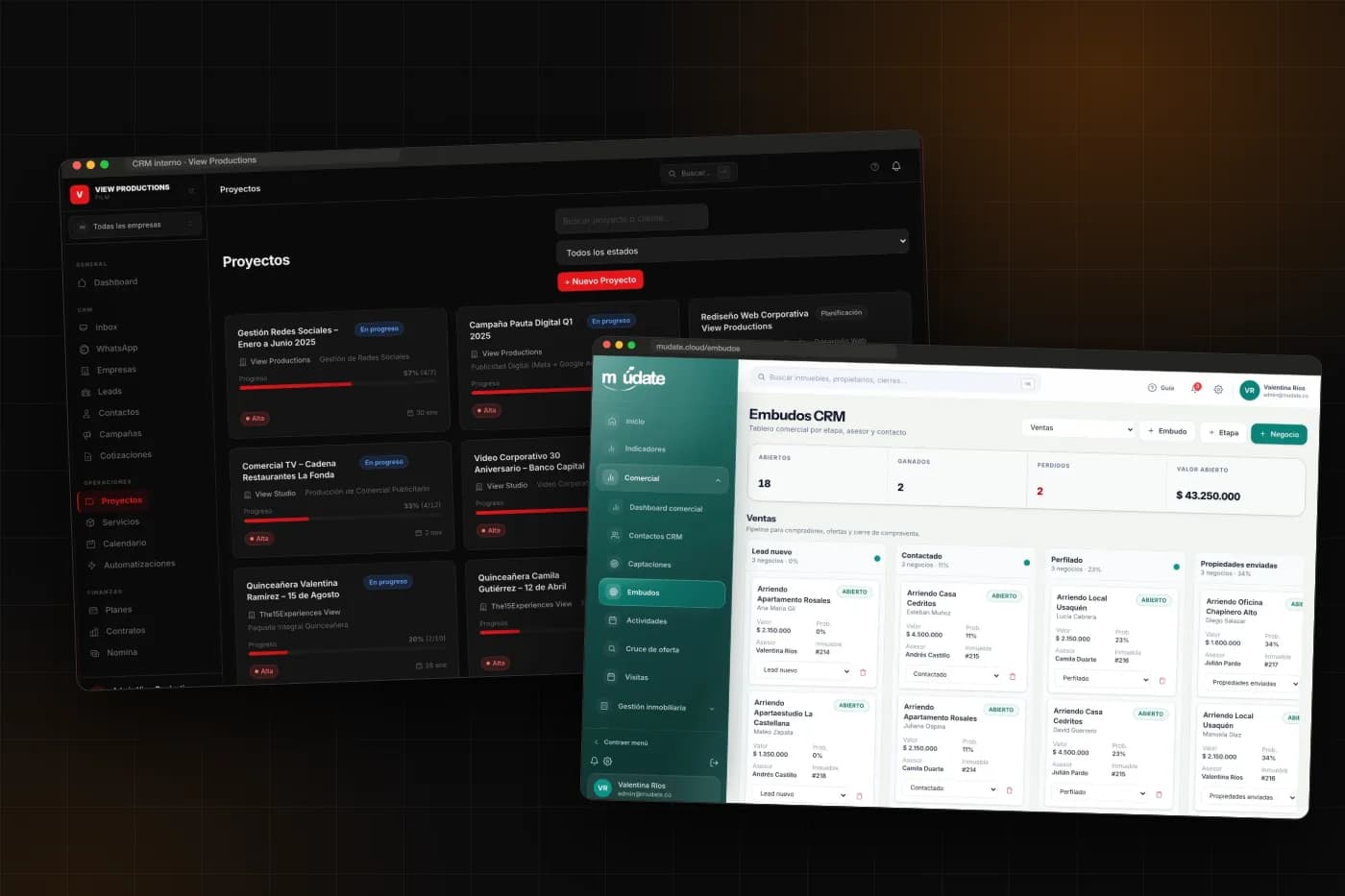
As a reference, a custom CRM in Colombia can vary significantly in cost depending on whether it is a first version or includes multiple modules, automations, and integrations. The exact figure depends on how many people use it, how specific your sales process is, and which other systems it needs to connect to. In this guide, I explain where that price comes from, how to compare it with a subscription CRM, and when it still is not worth building one.
Reference ranges for a custom CRM
A CRM is custom software, so it falls within the same general ranges I explained in the guide on how much it costs to develop custom software in Colombia:
- Essential CRM: contacts and companies, a stage-based sales pipeline, activities and reminders, users with roles, and basic reports. It solves the problem of knowing who is selling what to whom.
- Full CRM: multiple pipelines, quotes and contracts, automations, WhatsApp and email integration, dashboards for each sales representative, a customer portal, and business-specific modules such as accounts receivable or scheduling.
- Sales and operations platform: the CRM goes beyond sales and becomes the company’s central system, with multiple departments, high data volumes, auditing, and critical integrations.
These are guidelines, not a quote. Two companies of the same size may receive very different proposals if one sells a single service and the other manages commissions, recurring contracts, and three lead sources.
What drives the price
1. The sales process
A pipeline with five stages and one customer type is quick to build. The cost rises when there are rules: approvals based on the amount, discounts that depend on the sales representative, versioned quotes, automatic renewals, or tiered commissions. Each rule is logic that someone has to program and test.
2. Roles and permissions
A team of five sales representatives who can see everything is not the same as a structure with a manager, regional coordinators, sales representatives who can see only their own customers, and a service team that gets involved after the sale. Defining who can see what is one of the decisions that has the greatest impact on development time.
3. Integrations
Connecting a website form is straightforward. Integrating WhatsApp to record conversations, syncing email, issuing electronic invoices, or reading data from an accounting system makes the project much larger. Each integration depends on what the other system allows.
4. Data migration
Almost no one starts from scratch. There are Excel databases, duplicate contacts, and historical records the team does not want to lose. Cleaning, consolidating, and importing that information often takes longer than initially expected, so it should appear as a separate item in the proposal.
5. Reports
Asking for “reports” does not say much. A dashboard showing monthly sales is one thing; a conversion report by channel, sales representative, and stage, with export options and targets, is another. It is worth arriving at the quote with a list of the questions management wants answered every Monday.
Custom CRM or subscription CRM: how to compare the cost
Subscription tools charge per user each month, almost always in U.S. dollars, and usually reserve advanced features for higher-tier plans. A custom CRM has a high upfront cost and then a maintenance cost that does not depend on how many people log in.
To compare them, calculate the cost over three years instead of looking only at the first month:
- Subscription: users × monthly rate × 36 months, plus add-ons not included in the plan and the time someone spends configuring it.
- Custom: initial development, plus hosting, support, and improvements over the same 36 months.
Here is an example using made-up numbers just to illustrate the calculation: 15 users at 50 dollars per month comes to 9,000 dollars per year and 27,000 dollars over three years, not including add-ons. If the team grows to 40 people, the figure nearly triples. By contrast, the cost of a system you own is the same with 15 or 40 users.
The calculation can also go the other way. With five users and a standard sales process, the subscription clearly wins, and the sensible choice is not to develop anything yet.
What a serious quote should include
- The sales process described by stage, including what happens at each one.
- The list of roles and what each one can do.
- The integrations and the scope of each one.
- Data migration: what will be imported, from where, and in what condition.
- Partial deliveries and what can be used with each one.
- Hosting, backups, and post-launch support, with their costs.
- What is excluded and how changes will be handled.
- Who owns the code at the end.
How to lower the cost without hurting the outcome
The most effective approach is to start with a single workflow—the one that generates the most revenue or breaks down most often. For a real estate agency, that is usually following up with prospects; for a services firm, the quote and contract; for a production company, moving from lead to project.
In the internal system for View Productions, the CRM brings together leads, quotes, contracts, payroll, and scheduling in one platform. In Múdate, the sales pipeline works alongside accounts receivable, rentals, and settlements because, in a real estate agency, selling is only half the work. Both are organized into modules, which makes it possible to build them in stages.
It also helps to make decisions in advance: who approves deliverables, who answers process questions, and which data will be migrated. Many cost overruns come from waiting for answers, not from programming.
When a custom CRM is not the right choice
- If the sales team is small and follows a standard process.
- If you are still testing how to sell and the process changes every month.
- If the real problem is discipline: no one records anything, with or without a system.
- If no one on the business side has time to support the project.
In these cases, a well-configured subscription tool solves the problem faster and at a lower cost. I compare this in more detail in custom CRM or HubSpot, Zoho, and Pipedrive.
Frequently asked questions
How long does it take to develop a custom CRM?
A useful first version usually takes a few months. The rest is added in stages, with the team already working in the system.
Do you have to pay a monthly fee afterward?
There is no per-user license fee. There are operating costs for hosting, backups, support, and requested improvements.
Can it connect to WhatsApp?
Yes. The usual approach is to record conversations in the customer’s profile, send messages from the system, and create new contacts when someone writes for the first time.
What happens to the data I have in Excel or another CRM?
It can be migrated. Before importing it, you need to clean it and merge duplicates, and that work should be included in the quote.
Who owns the system?
Your company does. You should receive the code, server access, and documentation, and the contract should state this clearly.
A figure for your situation
These ranges help you determine whether the project fits your budget. A real figure requires reviewing the process, users, and integrations. If you want to do that exercise, tell me how your company sells today, and I’ll tell you what size CRM makes sense—or whether a subscription tool is still the better choice. You can also see how I work on custom software and CRMs for businesses.